🪄 iFrame API
Integrate: Embed url https://unibot.app/iframe inside an iframe on your website.
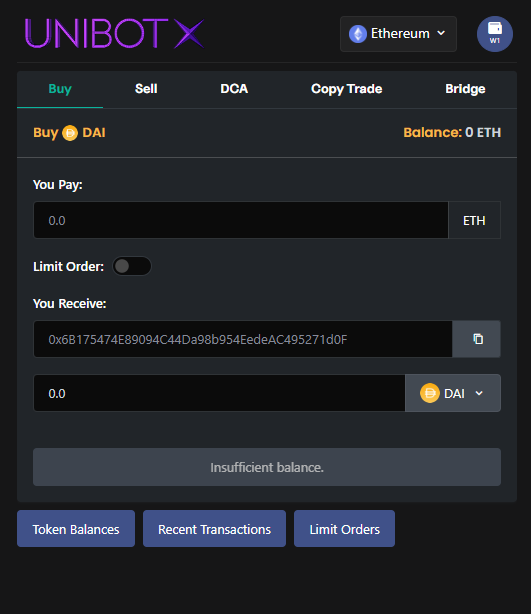
Customize: You can use the following url params to customize the iFrame.
- Url Param:
&chain={token_chain}: Sets iFrame to chain.
Valid Options: ethereum | base | arbitrum | solana
Default Value: ethereum
- Url Param:
&token={token_address}: Sets chart (if enabled) and swap token to token. - Url Param:
&swapMode={mode}: Sets iFrame to a trade mode.
Valid Options: swap | limit | dca | copytrade | bridge
Default Value: swap
- Url Param:
&swapType={swap_type}: Sets iFrame tobuyorsella swap type.
Valid Options: buy | sell
Default Value: buy
- Url Param:
&channel={bool}: Show channel widget.1for yes,0for no.
Valid Options: 1 | 0
Default Value: 0 (hidden)
- Url Param:
&chart={bool}: Show chart.1for yes,0for no.
Valid Options: 1 | 0
Default Value: 0 (hidden)
Example #1:
- Trading Section with channel (
channel=1)
i.e. https://unibot.app/iframe?channel=1
<iframe src="https://unibot.app/iframe?channel=1" title="Unibot Trade Widget"></iframe>.png)
Example #1 Screenshot
Example #2:
- Trading Section with channel and chart (
channel=1&chart=1)
i.e. https://unibot.app/iframe?channel=1&chart=1
<iframe src="https://unibot.app/iframe?channel=1&chart=1" title="Unibot Trade Widget"></iframe>.png)
Example #2 Screenshot